¶ Connecting a BTP Tenant
Connecting an SAP Business Technology Platform (BTP) tenant to RedRays means handing the installation a credential the customer owns: a subaccount service key for Integration Suite or API Management, or a dedicated read-only technical user for Cloud Foundry.
There is no vendor tenant and no back channel. Every connection is entered by the customer, encrypted on the way in with the installation's own key, and never returned afterwards. What the assessment can see is exactly what that credential's authorisations allow, and nothing anywhere in the product enumerates what the credential was not allowed to see. That single fact shapes the whole SAP BTP security assessment.
¶ What does an SAP BTP connection ask for?
Two of the three cloud kinds ask for the same five things. Cloud Foundry is the exception, and the form says why where it asks rather than leaving it to be noticed.
| Field | Integration Suite | API Management | Cloud Foundry |
|---|---|---|---|
| Label | required | required | required |
| API URL | required | required | required |
| Client id | required | required | not asked |
| Client secret | required | required | not asked |
| Token URL | required | required | not asked |
| UAA URL | not asked | not asked | required |
| Technical user | not asked | not asked | required |
| Password | not asked | not asked | required |
| Org | not asked | not asked | optional |
| Space | not asked | not asked | optional |
The label is a name the operator chooses, used in the picker, on scans and on findings. It is not an identifier SAP knows about and nothing is matched on it.
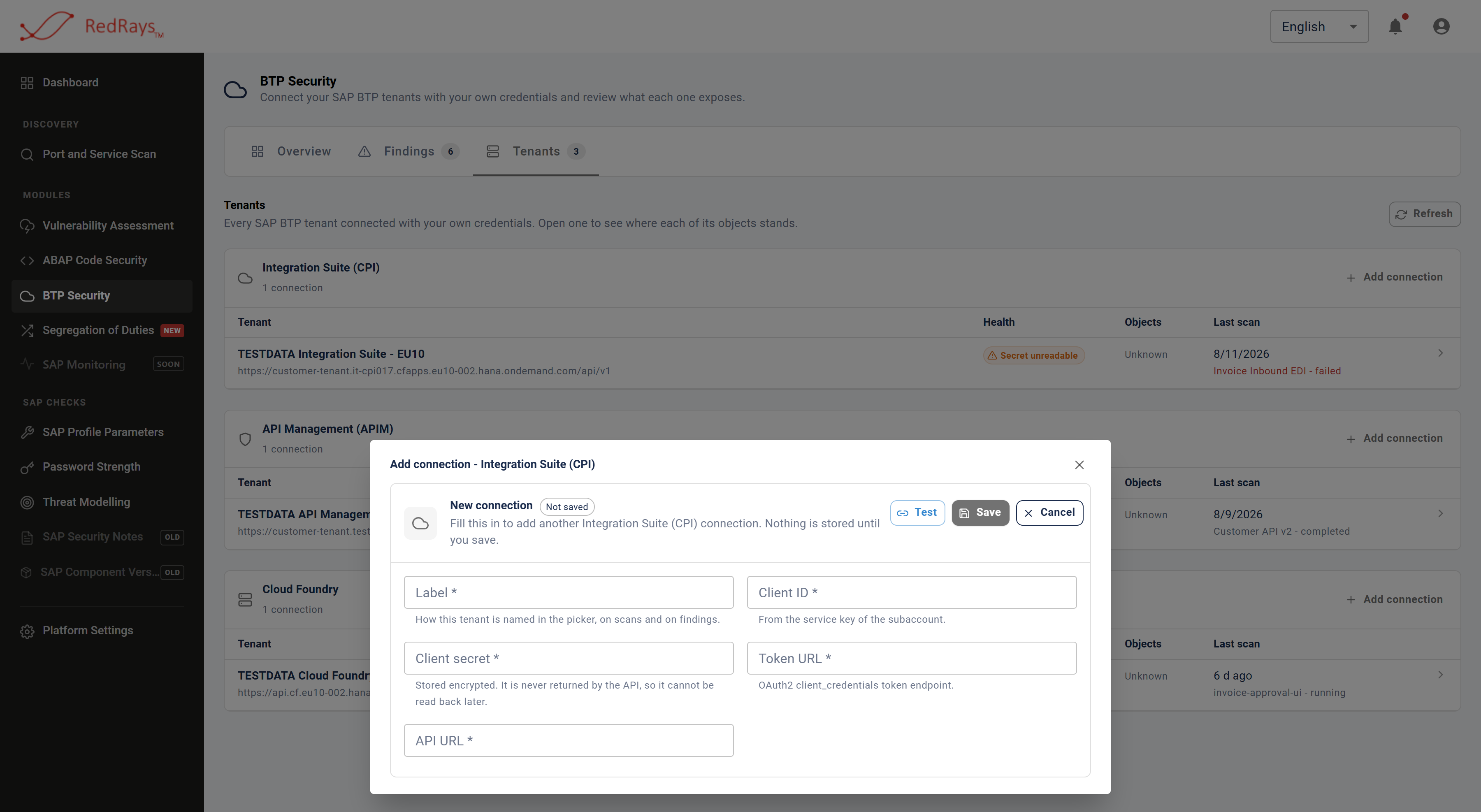
Every value is entered by the customer, and the form says on its face that nothing is stored until it is saved.
¶ Why does Cloud Foundry ask for a password?
Because Cloud Foundry offers no service key for this, so there is no client id and secret to hand over. The only way in is an OAuth2 password grant against the User Account and Authentication (UAA) service, which means a named account.
That is the one place in the product that asks for a password, and the guidance is on the form itself: create an account used for nothing else, give it read-only access to the org and space you want scanned, and do not reuse a personal login. Everything that connection later does is done as that account, and your own audit trail in SAP will record it as that account.
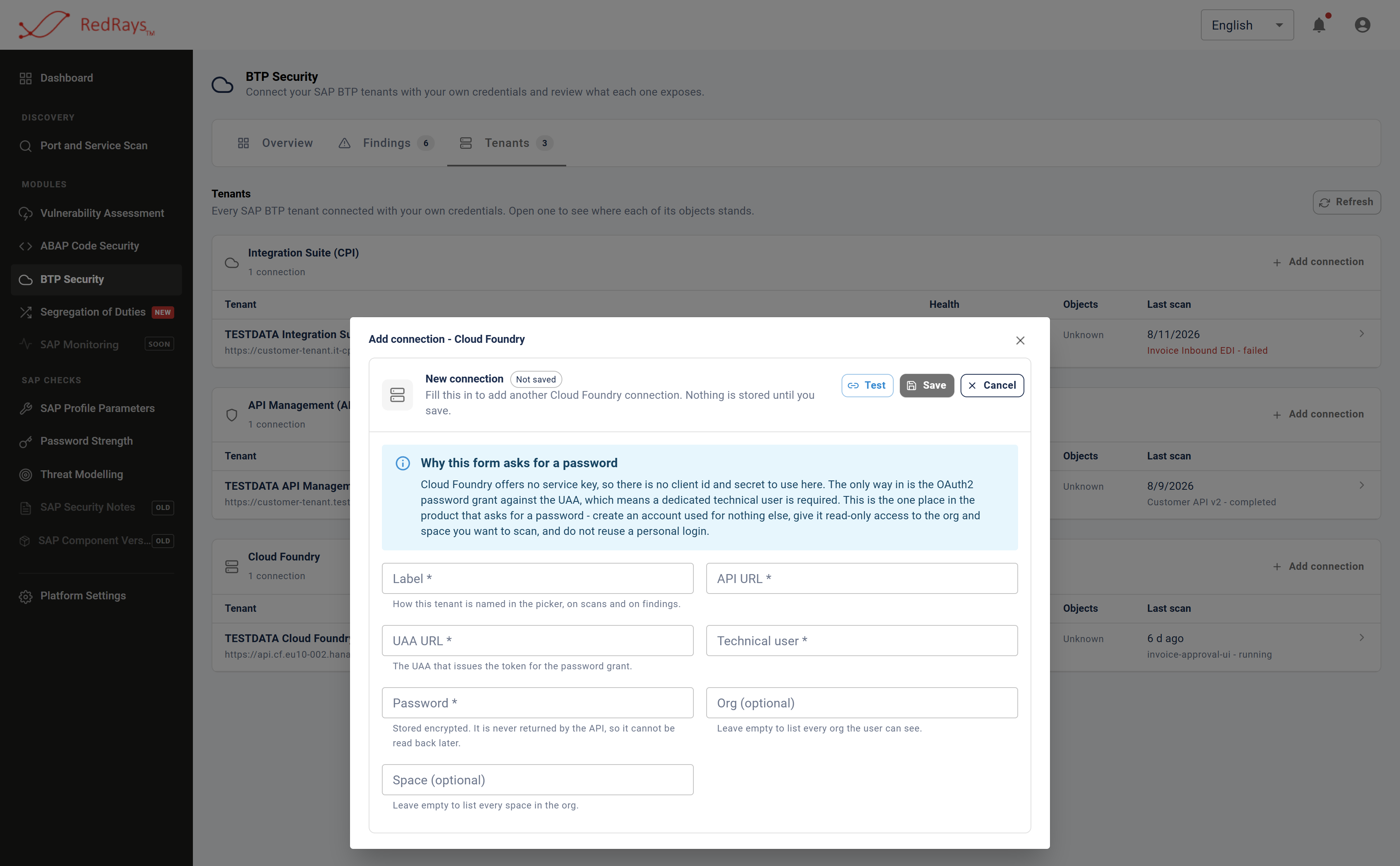
Cloud Foundry is the one connection that asks for a password, and the reason and the guidance are written on the form rather than left to be noticed.
Two honest limits attach to that panel. It is a recommendation, not a control: the product cannot check that the account is dedicated, and nothing later reports the technical user's actual entitlements. And because it is a user password rather than a key, a rotation in your directory breaks the connection; the product finds out at the next probe or scan, and it cannot tell a rotated password from a wrong one.
¶ What do org and space do?
They narrow what SAP returns. They are a property of the connection, applied before the application list comes back, and they are the only scope controls in the capability. Left empty, the connection lists every org or space the technical user can see.
They are not permissions. A technical user with more access than the org and space named here still holds that access, and a different connection could use it. Scope is a convenience for keeping a connection pointed at what you meant; least privilege is a decision you make in the directory, not here.
¶ What happens to the secret?
It is encrypted with the installation's own key when it is saved, and the response the browser receives has no field for it at all. There is nothing to reveal later, which means:
- It cannot be read back by an operator, by an administrator, or by support.
- It cannot be recovered if the installation's key changes. Values encrypted with a previous key are gone, and the connection has to be given its secret again.
- A connection reporting an unreadable secret is not a connection that failed to authenticate. The tenant was never contacted, so nothing about it has been established. Those are different answers and the product reports them as different answers, in keeping with what a finding does and does not claim.
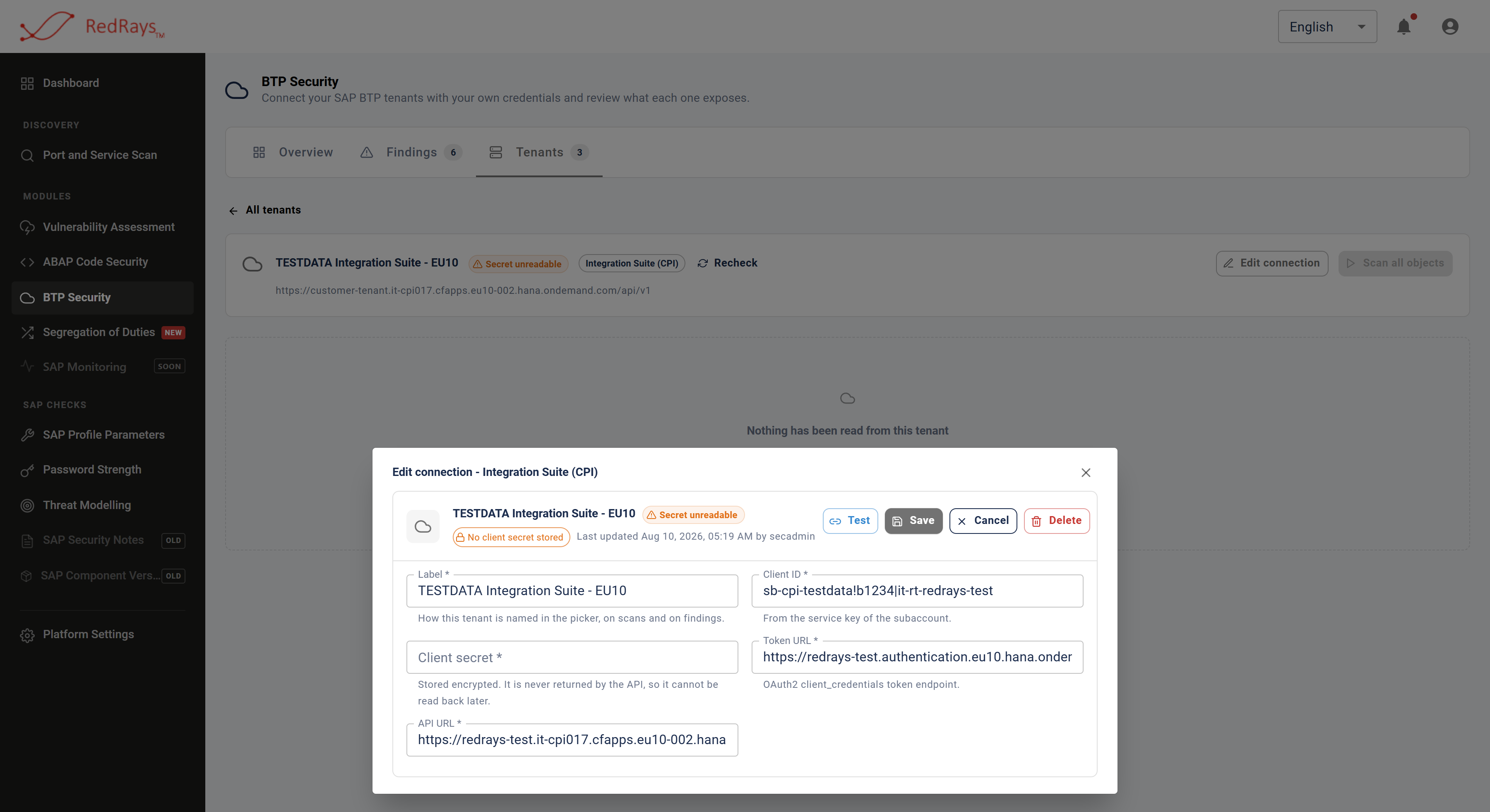
The empty secret box is the product working as designed: the value cannot be read back by anybody, so rotating it means entering it again.
¶ Saving is not testing
Two separate actions, and only one of them makes a claim. Saving writes the connection and encrypts the secret; it validates nothing against SAP, so a saved connection is a record of what somebody entered rather than evidence that any of it resolves. Testing signs in to the address given and reports what happened.
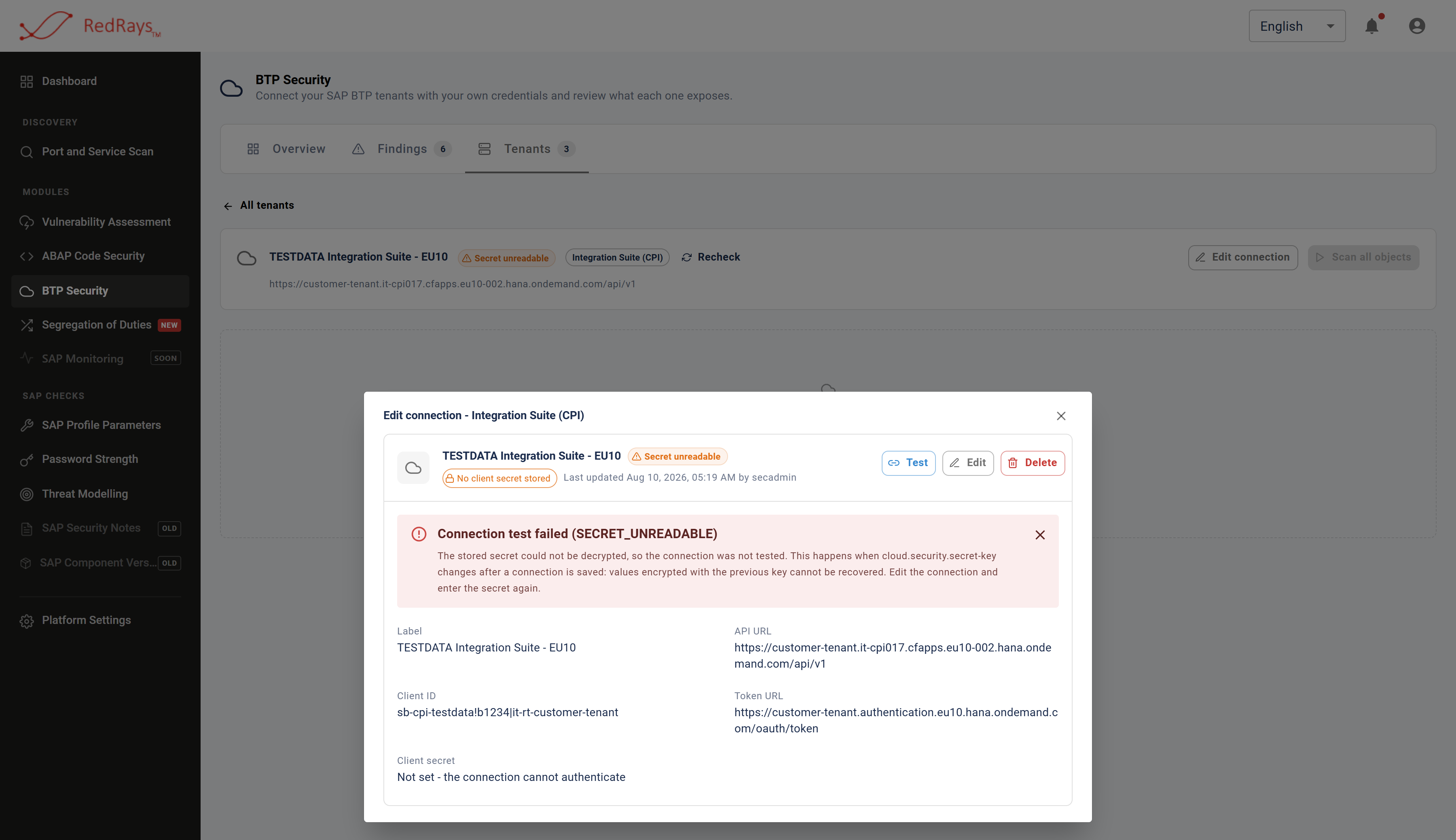
Testing reports what happened when the stored credential was used, which is a different claim from a connection having been saved.
Nothing on the form establishes that the authorisation server and the tenant belong to the same subaccount. A connection can be saved with a credential that has never authenticated anywhere, and saving it is not a claim that it works.
¶ What the connection decides about coverage
The role collection behind a service key, or the entitlements of a technical user, is the whole of the assessment's reach. A tenant that authenticates can still return fewer objects than you expect, and the product does not enumerate the role collection and does not claim to know what it grants.
That matters for reading results. An object the credential could not list never becomes a run, so it appears in no coverage figure and on no screen. Coverage and what was not assessed states that boundary, and what SAP BTP does not tell you explains why it is a property of any tool held at arm's length by a key somebody else issued.
¶ Deleting a connection
Deleting a connection removes the stored credential and the findings recorded against it together. That is the only action that removes findings; no scan deletes one, and pruning scan history never silently untells you about a defect.
¶ FAQ
¶ What access does the service key need?
Enough to list and read the content you want assessed - integration packages and their artifacts for Integration Suite, API proxies for API Management. Read-only is sufficient; nothing in the capability deploys, edits or configures.
¶ Can one connection cover several subaccounts?
No. A connection is one credential against one tenant of one kind. Connection numbering is per service, so the same number in two services means two unrelated tenants, and nothing in the product assembles a single estate-wide view across the three.
¶ What if I connect the same subaccount twice?
You get two independent sets of findings, each with its own recorded decisions, because the connection is part of a finding's identity. See what one BTP finding is about.
¶ Does connecting a tenant start a scan?
No. Every run is started by an explicit request and records who asked for it. Nothing spends your BTP API quota until somebody presses something, and a queued or running object is not queued twice by a second press.
¶ Where does the connection live?
In your own installation. The product is installed on customer infrastructure and the credentials, scan history and findings stay there. Deployment and where data goes sets out the one exception, which concerns analysis of source and not credentials.