¶ How ABAP Source Reaches the Scanner
Custom ABAP reaches the RedRays ABAP Code Scanner by one of four routes: a live connection to the SAP system over native RFC, SOAP RFC or the ABAP Development Tools interface; a transport request scanned by its object list; an upload or a Git import of source; or a developer key that submits source directly from an IDE or a build pipeline.
The routes are not equivalent. They differ in what the SAP system has to have switched on, in what the scan account has to be granted, and in whether an SAP connection is involved at all. Choosing one is the decision with the longest tail, because it decides which authorisation role an SAP security team is asked to build.
¶ What are the four routes?
| Route | What it needs | What it reads | When it fits |
|---|---|---|---|
| Native RFC connection | a reachable SAP gateway and a read-only service user | the repository directories and the source of each matching object | the ordinary case, and the narrowest of the three SAP transports |
| SOAP RFC connection | an active internet communication framework node and an HTTPS port on the internet communication manager | the same objects, over HTTP instead of the gateway | landscapes where the gateway is not reachable from the scanner |
| ABAP Development Tools connection | the ADT node active on an HTTPS port | the same objects, plus repository search and the transport tree | landscapes already using ADT, and transport-oriented scanning |
| Transport request | one of the three connections above | the object list of the transport, and the source of each object in it | scanning what is about to move, before it moves |
| Upload or Git import | no SAP connection | the source as supplied | air-gapped systems, and code kept in Git rather than only in SAP |
| Developer key from IDE or CI | no SAP connection | the source the caller submits | scanning during development, and gating a build |
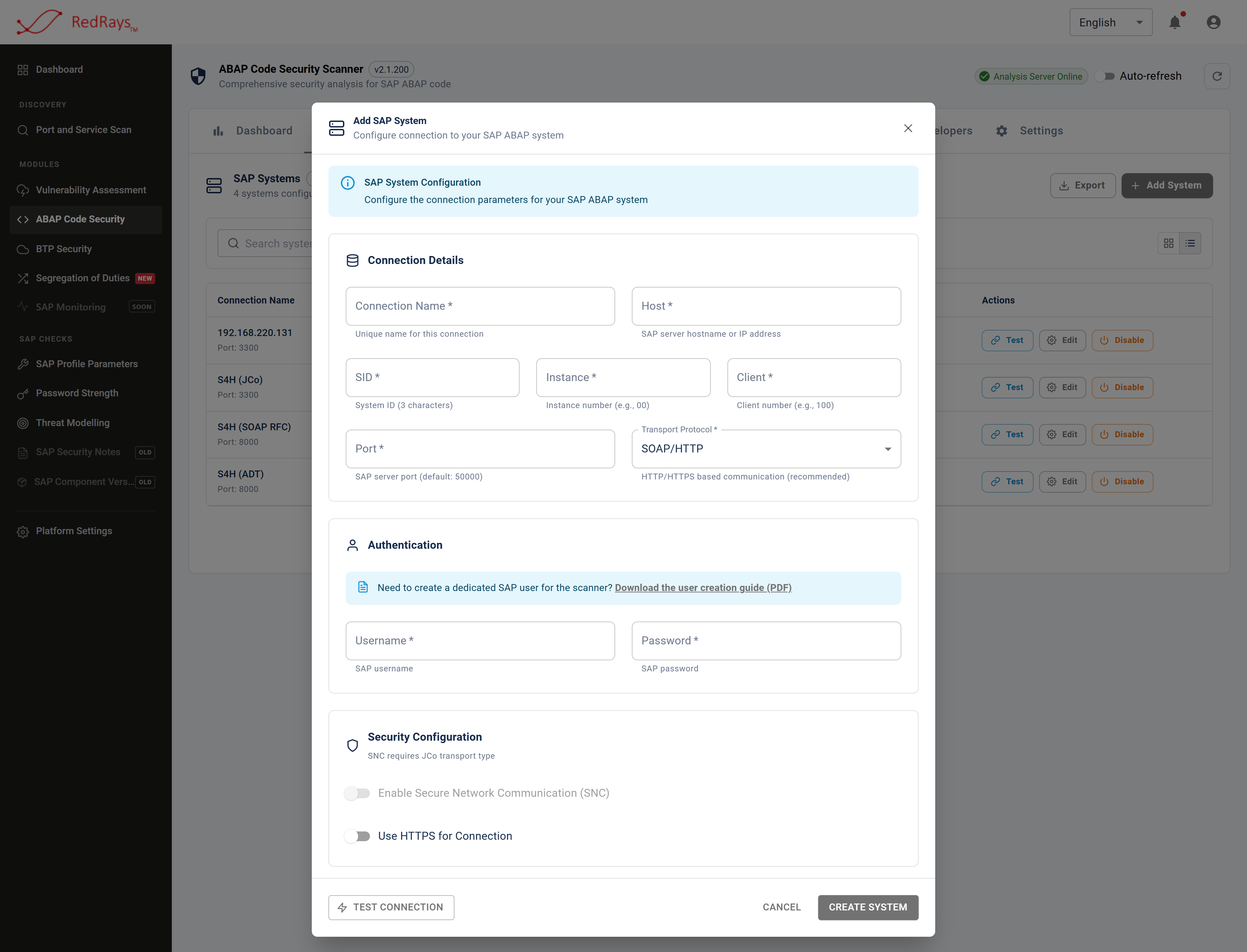
The transport picked when a system is registered is the choice that decides what the SAP security team is asked to grant.
¶ How does the scanner decide what to scan?
SAP carries no attribute meaning "custom", so scope is a namespace pattern the operator supplies, typically the customer's Z or Y namespace or a registered partner namespace. Discovery reads the program directory or the function module directory live, applies the pattern and an optional object type filter, and returns the candidates.
Two consequences follow, and both are worth stating before a scan is scheduled. The candidate list is exactly as current and exactly as complete as that one read, so an object created after it is not in the run. And a pattern is a guess about how the customer names things: if a custom namespace does not match the pattern, nothing in the report will say it was skipped.
An optional content filter narrows the candidates further by what the source contains, which reduces the number of objects analysed at the cost of reading all of their source first.
A transport request is the other way to set scope. The console keeps its own record of the requests it has seen and of how much of what they carry has been scanned, so a change can be read as a set before it moves.
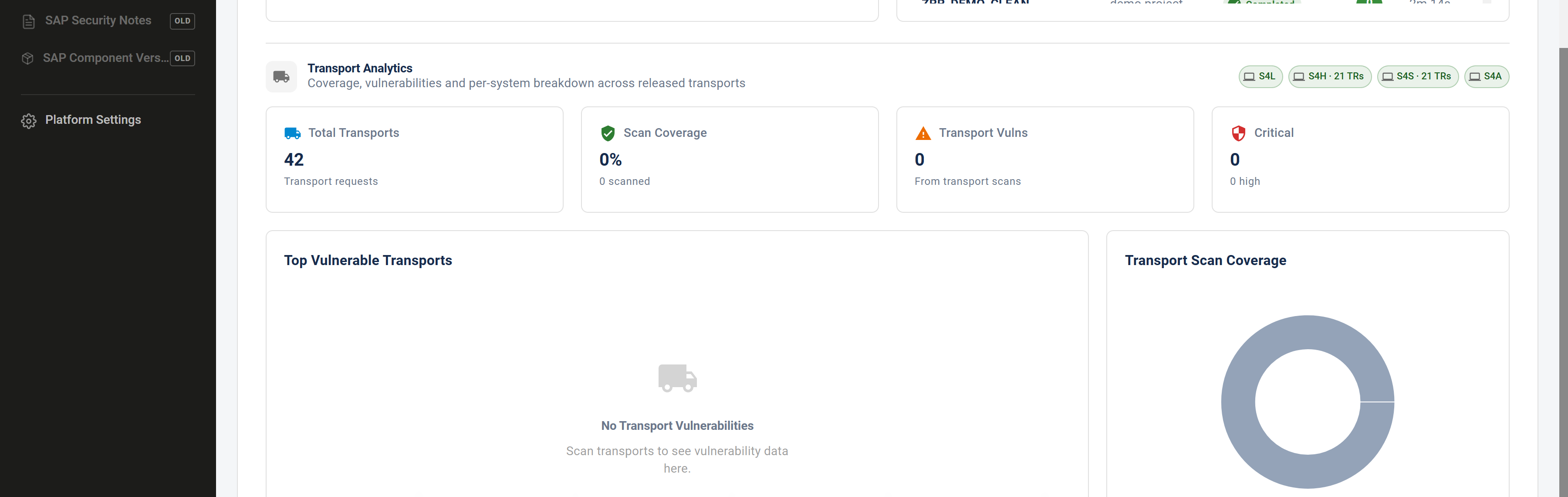
A transport carries a known object list, so what is about to move can be scanned as a set rather than found afterwards.
¶ What happens to the source once it is read?
The scanner stores the source it read, with the SAP dictionary attributes of the object beside it: the object type, the program type, the master language, the remote-callable flag, the version and release, the client, and who created and last changed it. The stored copy is what a finding is argued from and what the finding's source listing shows, which is why a finding describes the code as it stood at scan time rather than as it stands now.
The analysis itself happens outside the installation. The source of the object being scanned is sent to a RedRays analysis service in the United States, and findings come back. The model performing the analysis runs inside that deployment and sends nothing onward, so no third party model provider ever sees customer source code. Everything else stays on the customer's infrastructure. The full statement is on deployment and where data goes.
One behaviour belongs with that. When the analysis cannot settle whether a candidate finding is real, it asks for the bodies of the routines the code calls. The installation resolves each named routine from its stored copy or, failing that, reads it out of the SAP system, and sends it once. So objects the operator did not select can be read as part of analysing the ones that were, and the alternative would be a verdict reached without the evidence.
¶ Which route should you choose?
Start from what the SAP system already exposes. If the gateway is reachable, native RFC is the narrowest of the three SAP routes and the one to prefer. SOAP RFC exists for landscapes where it is not, and it asks for a slightly wider grant because of how remote-call authorisation is structured. The ABAP Development Tools route is the widest: activating it exposes the whole development REST interface, and it is the only one under which the scanner writes anything at all into the SAP system, because listing transport requests over ADT leaves a server-side search configuration behind.
If no connection is wanted, or none is possible, the upload, Git and developer-key routes take source directly and involve no SAP system.
What the ABAP scan account can read sets out the authorisation objects each route needs.
¶ Limits
- Nothing is installed in SAP. There is no add-on and no transport to import. The trade is that everything depends on a connection or on source being supplied.
- A refused read is not the same as a clean object. If the account cannot read an object type, that object contributes nothing to the report. Confirm coverage by comparing the object count in the report with the number of candidates discovery offered.
- Discovery has a ceiling. One discovery pass returns a bounded number of names, which a very large namespace can exceed. Narrow the pattern rather than assuming the list was complete.
- A transport scan covers the objects in the transport. It says nothing about the rest of the system, which is a feature when gating a release and a trap when read as a landscape statement.
- The developer-key route needs no console operator. Source can be submitted from an IDE or a pipeline without anybody opening the product, which is convenient and worth knowing when deciding who may hold a key.
¶ Frequently asked questions
¶ Do we have to open a network path from SAP to the internet?
No. The SAP system talks only to the installation. The installation is what reaches the analysis service, so the outbound path is from the customer's own infrastructure and not from the SAP application server.
¶ Can an air-gapped system be scanned?
Source can be uploaded or imported rather than read over a connection, which removes the need for a live SAP link. The analysis service still has to be reachable from the installation, since that is where the analysis happens.
¶ Can we scan a transport before it is released?
A transport can be scanned by its object list, and new transports can be picked up as they are released. Scanning earlier than that is what the IDE plugin and the pipeline route are for.
¶ Does the scan account need developer rights?
No. It is a read-only account. It reads repository source and dictionary attributes and cannot create, change or transport repository objects.
¶ Is the SAP connection used only while a scan is running?
No. Connections are re-tested on a background interval so the console can report whether each system is reachable, so the account logs on periodically as well as during scans, and those logons appear in the SAP security audit log.